Transform your mechanical, jagged mouse scroll into a fluid visual symphony. Re-engineer how you browse, code, and navigate with customizable inertial physics.
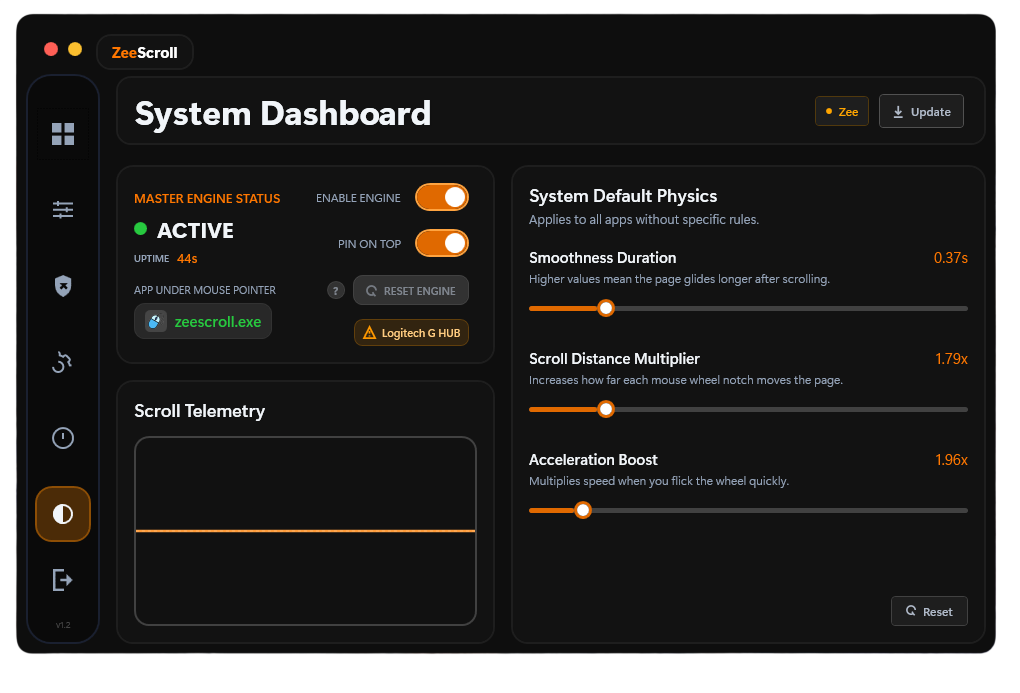
Toggle the switch below to instantly apply ZeeScroll's smooth scroll physics to this web page. Scroll down to feel the difference!
Enable ZeeScroll on this website to replace your browser's choppy mouse steps.
Customize the feel of your scrolling inertia, speed, and responsiveness.
Standard mouse wheels emit discrete "ticks" of 120 units, resulting in instant pixel jumps. ZeeScroll captures these ticks and interpolates them using a physical friction model. The result is a smooth, continuous acceleration curve.
Repeated micro-jolts of choppy scrolling fatigue eye muscles and trigger subtle wrist strain. ZeeScroll buffers the input, smoothing out the high-frequency vibrations that cause fatigue during long reading sessions.
Need to get to the bottom of a 10,000 line file? The faster you spin the wheel, the more speed you gain. When you slow down, the scroll gracefully glides to a stop. It feels like a premium smartphone screen, right on your PC.
You might want extreme smoothness in your browser, a tight responsive scroll in your IDE, and default scrolling in a shooter game. ZeeScroll handles this automatically based on what app is under your cursor.
See the physics in action. Below is a real-time monitor that maps scroll velocity against time. Scroll up and down to see the curves change dynamically!
ZeeScroll plots mouse input in real-time, highlighting the difference between input spikes and ease-out interpolation.
Scroll your mouse wheel right now. The graph will render standard browser scrolling as a sharp square wave, whereas ZeeScroll appears as a beautiful, fluid organic wave.
Lightweight, ultra-fast, and built on native Windows APIs to ensure zero input lag.
Calculates friction, drag, and speed multipliers locally using high-precision timers for an exceptionally organic scroll experience.
Assign custom speed and smoothness coefficients to individual executables. ZeeScroll adapts automatically when switching windows.
Automatically step out of the way for specific apps like games, creative software, or design suites where raw input is critical.
Written in hyper-optimized C# using background Win32 hooks. Consumes ~10 MB of RAM and 0% CPU while idle — remains completely invisible.
Runs quietly in the system tray. Use a custom hotkey like Ctrl + Alt + Z to toggle the engine on the fly.
Keeps the engine updated with the latest Windows compatibility patches and smooth scroll easing profiles.
Never worry about turning ZeeScroll off when launching your favorite game or editing tool.
Our active hook service detects which executable is currently under your mouse pointer in milliseconds. ZeeScroll automatically applies your custom physics settings or disables itself entirely if the app is on your exclusion list.
Experience buttery-smooth scrolling on your Windows PC. Pick the plan that works for you.
Try ZeeScroll full-featured for 10 days. No credit card required.
Billed monthly. Cancel anytime. Full access to all features.
Launch price for a limited time. Save 33% vs monthly.
Launch price. Pay once, own it forever. Includes all future updates.
License key is sent to your email after purchase. No telemetry, no tracking. Read more — ZeeScroll Privacy Policy